
The waiter takes the order at the table
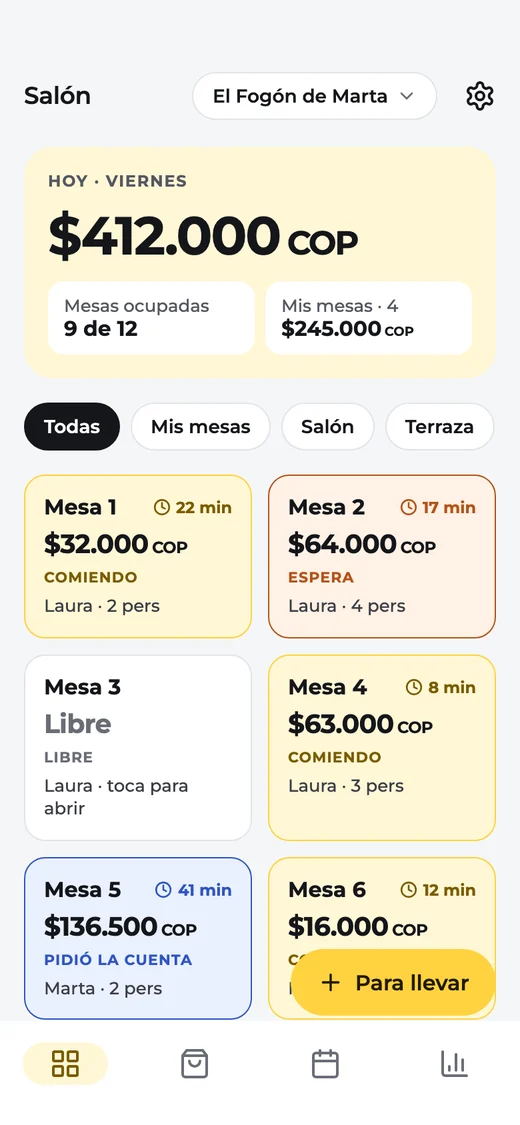
Tap the table, tap the dishes. Bestsellers are on top with plus and minus, and the bill adds up by itself.
On their phoneTables, waiters, kitchen and checkout on your phone, tablet and the web. Made for small restaurants, with a free plan to get started.
Just one email, the day it launches. Nothing else.
Three steps, everyone on their own screen. What the waiter orders, the kitchen and the checkout see instantly.
Tap the table, tap the dishes. Bestsellers are on top with plus and minus, and the bill adds up by itself.
On their phoneIt appears on the kitchen screen with its timer, or the ticket comes out of the printer. Nobody runs with a slip.
On a tablet, a TV or the printerSee the floor plan with every table’s bill, split the check and close the night’s register.
On the tablet or the webFrom the first table seated to closing the register.
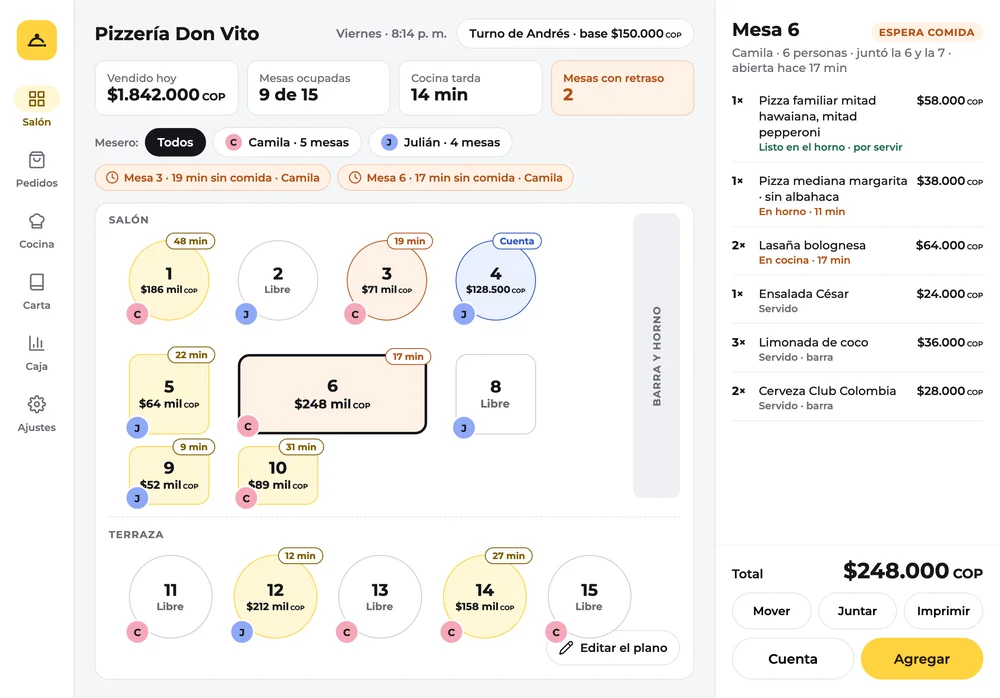
Open the floor and see how much each table has, for how long and who serves it. Every dish adds up right away.
Each waiter signs in and sees their tables. What one orders, the checkout and the kitchen see instantly.
If a table has waited 15 minutes for food, or asked for the bill and nobody went, the floor tells you.
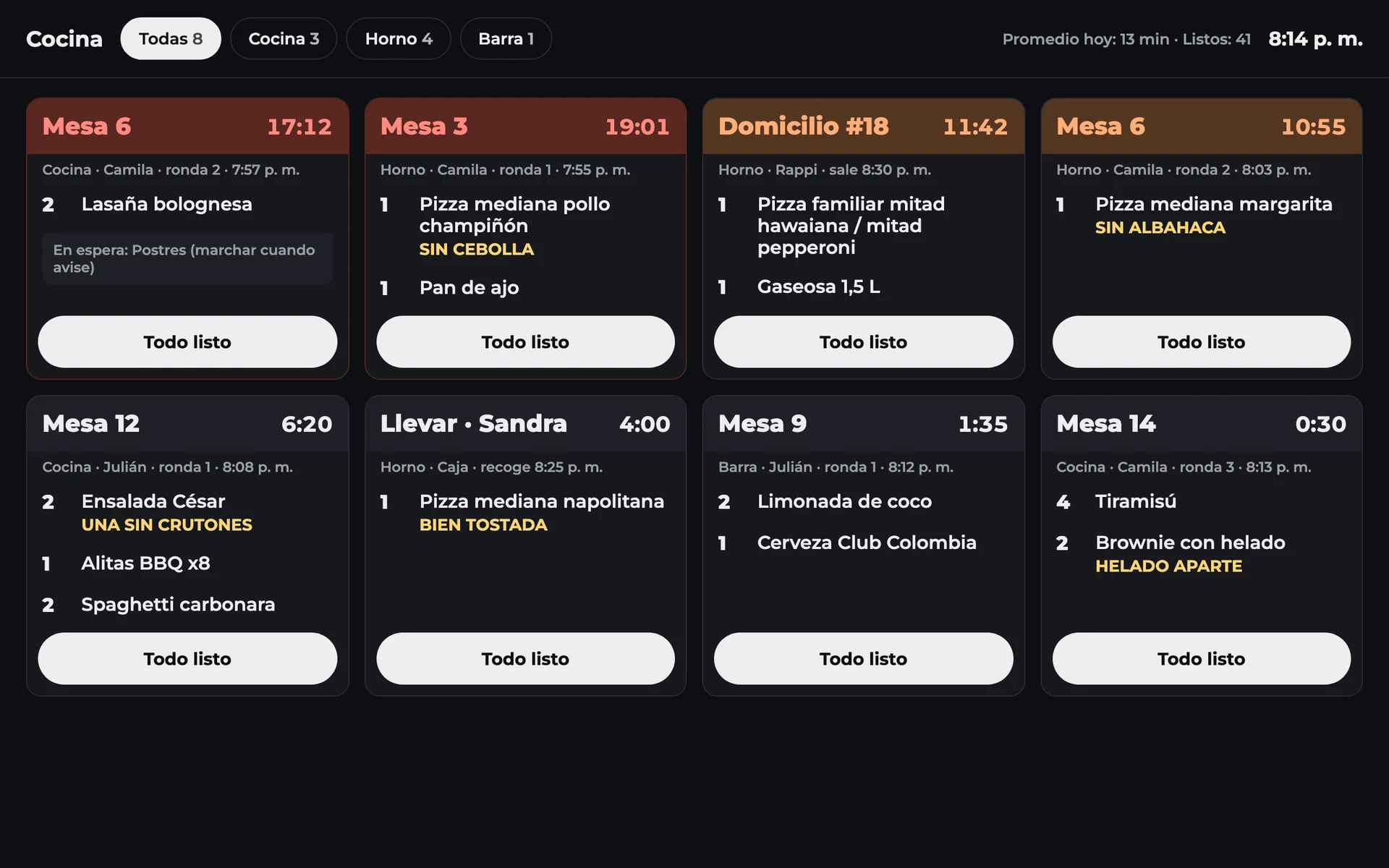
The kitchen sees every order on a tablet or a TV. If you already have a network printer, the ticket prints.
Evenly or by what each person had. The tip is suggested as the law says: voluntary and on the amount before tax.
Drag round tables, long tables and the bar, and make it look like your real restaurant.
WhatsApp and phone orders go to the same kitchen, with the address and who delivers them.
The table is held for its time, and if they don’t show up, one tap frees it.
The day doesn’t break at midnight: closing at 2 a.m. counts as the day it started. With tip sharing.
A tablet on the wall or a TV with an Android stick. What’s been waiting longest moves up on its own.
Something else? Write to support@lehreer.com.
No. The kitchen can see orders on a tablet or on a TV with an Android stick. If you already have a network kitchen printer, the app prints there.
Every phone and tablet keeps taking orders and charging, and they catch up on their own when the connection is back.
It will come as a module you can turn on if you need it. We’ll let you know the day it launches.
You lose nothing. Your Negocio account keeps its full history, and the app brings over your products, customers and past sales, so your reports carry on from day one.
We’re building it. Leave your email and we’ll write once, the day it’s on Android, iPhone and the web.

Just one email, the day it launches. Nothing else.
Tell me when it’s out